How To Reset Tire Pressure Light
A practical step-by-step guide to how to reset tire pressure light, including preparation, instructions, common issues, tips, and next steps.
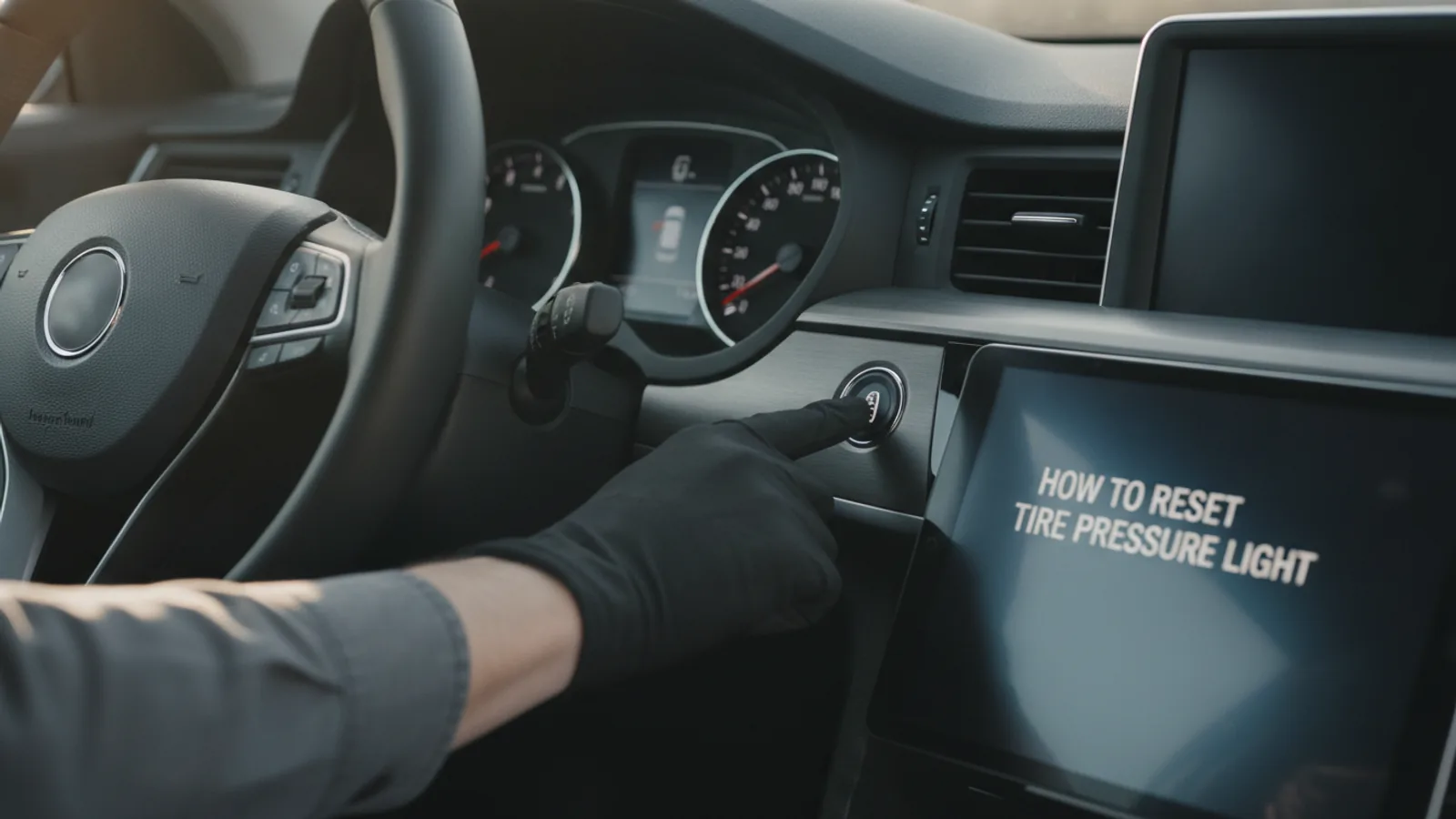
How To Reset Tire Pressure Light
Resetting a tire pressure light (TPMS light) is a common task that often requires more than just filling the tires. This guide explains how to safely and correctly reset the light after adjusting tire pressures or repairing a tire. It covers preparation, step-by-step instructions for both button-based and menu-based systems, common problems, and expert tips for ensuring the light stays off. Always check your vehicle's owner's manual for specific procedures, as methods vary.
Fast Answer
- Check and inflate each tire to the recommended pressure listed on the driver's side door jamb sticker, then drive above 30 mph for a few minutes; the light often resets automatically.
- If the light persists, locate the TPMS reset button (usually under the steering wheel or in the glovebox), press and hold it while the ignition is in the ON position until the light blinks, then release and start the engine.
Before You Start
- Find the recommended tire pressure for your vehicle, typically printed on a sticker on the driver's side door jamb or inside the fuel door.
- Ensure you have an accurate tire pressure gauge; digital gauges are easy to read and reliable.
- Have access to an air compressor or a source of compressed air, such as at a gas station, to adjust tire pressures.
- Read your vehicle's owner's manual or search the dashboard menus for TPMS reset options, as procedures vary by make and model.
Step-by-Step Instructions
Check and Adjust Tire Pressure
Start by checking the air pressure in all four tires, including the spare if your vehicle has one and it is fitted with a sensor. Use a reliable tire pressure gauge to measure the pressure when the tires are cold, preferably in the morning before driving. Compare the readings with the recommended pressure listed on the sticker inside the driver's door or in the owner's manual. Inflate all tires to the recommended PSI, and if any tire is overinflated, release air until it matches. Driving on underinflated tires causes premature wear and poor fuel economy. Proper inflation is essential for safe handling and ensures accurate TPMS readings.
Start the Vehicle and Locate the TPMS Reset
With the engine off, insert the key and turn the ignition to the ON position (do not start the engine), or press the start button twice without pressing the brake pedal to put the vehicle in accessory mode. Locate the TPMS reset button, which is often a small black button with a tire icon on it, located under the steering wheel, near the hood release, or inside the glovebox. On some vehicles, the reset is accessed through the dashboard menu using steering wheel controls. Knowing the exact location beforehand saves time and frustration. Refer to your owner's manual to find the correct reset method for your specific vehicle, as it varies among models.
Press and Hold the Reset Button
Once you have located the reset button, press and hold it for about three to five seconds. While holding, watch the dashboard indicator. It may blink, turn solid, or go off completely, depending on the system. Some vehicles require holding the button until the light blinks three times, then release. If your vehicle has a menu-based reset, use the steering wheel arrow keys to navigate to 'Tire Pressure' or 'TPMS' and select 'Reset' or 'Initialize'. After the reset, the light should either turn off immediately or after a short drive. If the light does not respond, you may need to repeat the process or consult the manual.
Drive the Vehicle to Complete the Reset
After pressing the reset, start the engine and drive the vehicle for a few minutes at speeds above 30 mph. This allows the TPMS to recalculate the pressure readings based on the new tire pressures. During this drive, the light may turn off automatically, indicating a successful reset. If the light stays on or blinks, the system may not have accepted the reset, requiring you to repeat the process. Driving also heats the tires, which helps the sensors get a more accurate reading of the actual pressure during operation. Patience is key, as some systems take up to 10 minutes to update.
If the Light Persists, Recheck Tire Pressures
If the TPMS light remains illuminated after driving, pull over to a safe location and recheck the tire pressures with your gauge. It is possible that one or more tires lost air pressure again, or that a tire was not inflated to the exact recommended value. Inspect the tires for any visible punctures, bulges, or cuts. You can also check the valve stems for leaks by applying a soapy water solution; if bubbles form, there is a leak. A leak that causes a slow pressure drop will prevent the sensor from reading within the acceptable range, keeping the light on. In such cases, repair the tire before resetting again.
Consult the Manual or a Professional
If you have followed all previous steps correctly and the light still does not reset, the issue may be a faulty TPMS sensor, a dying sensor battery, or a system malfunction. Consult your vehicle's owner's manual for troubleshooting sections related to TPMS. If the manual does not provide a solution, contact a certified mechanic or tire shop. They have specialized diagnostic tools to read sensor codes and identify problem sensors. Do not ignore a persistent TPMS light, as it often indicates a real safety hazard. Driving on an underinflated tire can lead to a blowout. Professional help will ensure the system is repaired properly.
Quick Reference
| Situation | Action | Why it helps |
|---|---|---|
| The TPMS light is on and I have just inflated the tires to the correct pressure. | Start the engine and drive at speeds above 30 mph for at least 10 minutes to allow the system to auto-recalibrate. | Many vehicles automatically reset after the vehicle reaches operating speed and the sensors transmit updated pressure data. |
| The TPMS light remains on after adjusting tire pressure and driving. | Locate the TPMS reset button under the steering wheel or in the glovebox, press and hold it with the ignition on until the light blinks. | A manual reset forces the system to re-learn the current tire pressures and clears the warning if no fault exists. |
| No physical reset button is found and the dashboard has a menu. | Use the steering wheel controls to navigate to 'Settings' or 'Vehicle Info', select 'Tire Pressure', and choose 'Reset' or 'Initialize'. | Modern vehicles often use menu-based resets; this tells the TPMS to monitor current pressures as the new baseline. |
Common Issues
- After resetting, the light comes back on after a few miles of driving.: Check for a slow leak by inspecting the tire for nails or punctures with a flashlight, and applying soapy water to the tread and valve stem to see if bubbles form. If a leak is found, repair the tire or inflate to the correct pressure and reset again.
- The TPMS light blinks continuously, then stays solid.: This indicates a system malfunction, not just low tire pressure. Use a TPMS diagnostic tool to read sensor error codes, or have a professional scan the system to identify the faulty sensor and replace it.
- The reset button seems to do nothing, and the light never blinks.: Some vehicles require the reset button to be held while the ignition is turned from OFF to ON. Try that sequence. If it still fails, check the owner's manual for a different procedure, or use the menu-based reset if available.
Advanced Tips
- If your vehicle uses indirect TPMS (based on wheel speed), after a proper reset, the light will recalibrate automatically the next time you drive at a steady speed for about 15 minutes.
- When inflating tires, use the same air pump for all four tires to ensure consistent pressure readings, as some gauges can be inaccurate.
- Consider purchasing a high-quality digital tire pressure gauge and checking pressures at least once a month, as this reduces the chance of the TPMS light turning on unexpectedly.
Final Checklist
- Check and record the air pressure in all four tires using a reliable gauge, comparing to the door sticker recommendation.
- Inflate or deflate each tire to exactly the recommended PSI while the tires are cold.
- Locate the TPMS reset button or menu, and perform the reset procedure according to the owner's manual.
- Drive the vehicle for at least 10 minutes at speeds above 30 mph, then verify the tire pressure light is off and all tires are still at proper pressure.
FAQ
How long should I drive to reset the tire pressure light?
Most vehicles require driving for 10 minutes or more at speeds above 30 mph for the system to update. If your vehicle has a manual reset button, the light may turn off immediately, but driving helps confirm the sensor readings. If the light stays on after driving, you may need to repeat the reset process or check for faults.
Can I reset the tire pressure light without a button?
Yes, many modern vehicles allow resetting through the infotainment system or dashboard menu. Use the steering wheel controls to navigate to the tire pressure section and select 'Reset' or 'Initialize'. If you cannot find this option, check the owner's manual for instructions.
Why does the tire pressure light blink before staying solid?
A blinking TPMS light usually indicates a system malfunction, such as a faulty sensor or low battery in a sensor. After about a minute of blinking, it may stay solid, indicating a fault. You should have the TPMS checked by a professional, as it cannot be fixed by simply adjusting tire pressure.